



Table of Contents
ToggleIntroduction (PayPal Carding)
PayPal remains one of the most valuable targets for carders in 2026. With over 400 million active users worldwide and processing billions of dollars in transactions daily, PayPal is deeply integrated into e-commerce, freelancing, and money transfers.
This guide covers the advanced techniques used by professional carders to exploit PayPal’s payment systems. We go beyond basic methods and dive into the technical architecture of PayPal’s Risk Management System (RMS), the tools needed for a successful operation, and the step-by-step workflow for linking carded cards and cashing out.
We’ve done the search. Now discover the Real Resources
Finding the right tools shouldn't have to mean endless searching, or taking chances on unknown vendors. That’s why we invested valuable time during our research period to identify useful payment security resources.
Verified and Recommeded Tools / Service Shops
escrow deals for businesses worldwide.
Whether you are new to PayPal carding or looking to refine your existing methods, this guide provides the knowledge you need to succeed in 2026.
Also read: 350+ List of Cardable Casino Sites 2026
What Is PayPal Carding and How Does the Method Work in 2026?\
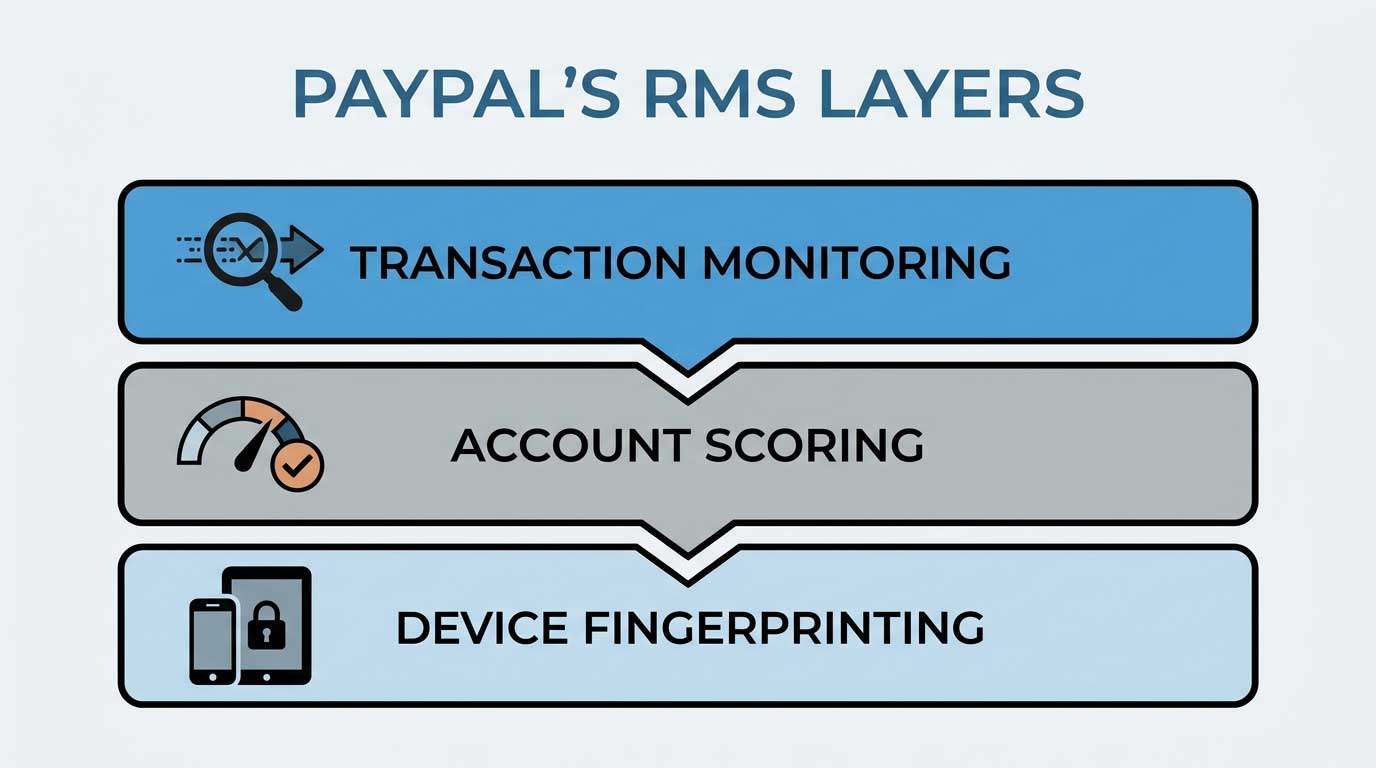
PayPal carding is the process of using stolen credit or debit card data to make unauthorized payments through PayPal. The method exploits weaknesses in PayPal’s payment processing system to bypass verification and complete transactions without the cardholder’s knowledge.

How the Method Works
- The carder acquires stolen card data from data breaches, skimmers, or vendors.
- The carder creates or acquires an aged PayPal account with a clean history.
- The carder adds the stolen card to the PayPal account.
- The carder uses the card to make purchases or send money.
- The carder cashes out the funds through bank transfers, cryptocurrency, or gift cards.
Why It Works in 2026
PayPal’s security is strong, but it has weaknesses. The platform relies on a combination of automated checks and manual reviews. Professional carders understand how to trigger or avoid specific checks to slip through undetected.
Pro Tip: The key to success is understanding PayPal’s Risk Management System (RMS). This is covered in detail in the next section.
Why PayPal Remains a Prime Target for Advanced Carders in 2026
PayPal remains a prime target for several reasons.
Reason 1: High Transaction Volumes
PayPal processes millions of transactions daily. This makes it difficult for the RMS to flag every suspicious transaction. Carders can blend in with legitimate traffic.
Reason 2: Multiple Cash Out Options
PayPal offers bank transfers, debit cards, and cryptocurrency purchases. This gives carders flexibility in how they extract funds.
Reason 3: Global Acceptance
PayPal is accepted at millions of merchants worldwide. Carders can use carded funds to buy almost anything.
Reason 4: Weak Verification for Some Cards
Not all cards trigger PayPal’s verification checks. Certain BINs from small banks or prepaid programs can be added without OTP prompts.

Reason 5: Account Recovery Loopholes
Aged accounts with good standing can bypass certain checks. Carders exploit this by using aged accounts.
Pro Tip: The combination of high volume and multiple cash out options makes PayPal the best platform for carding in 2026.
What You Need for PayPal Carding: Tools, Accounts, and Infrastructure
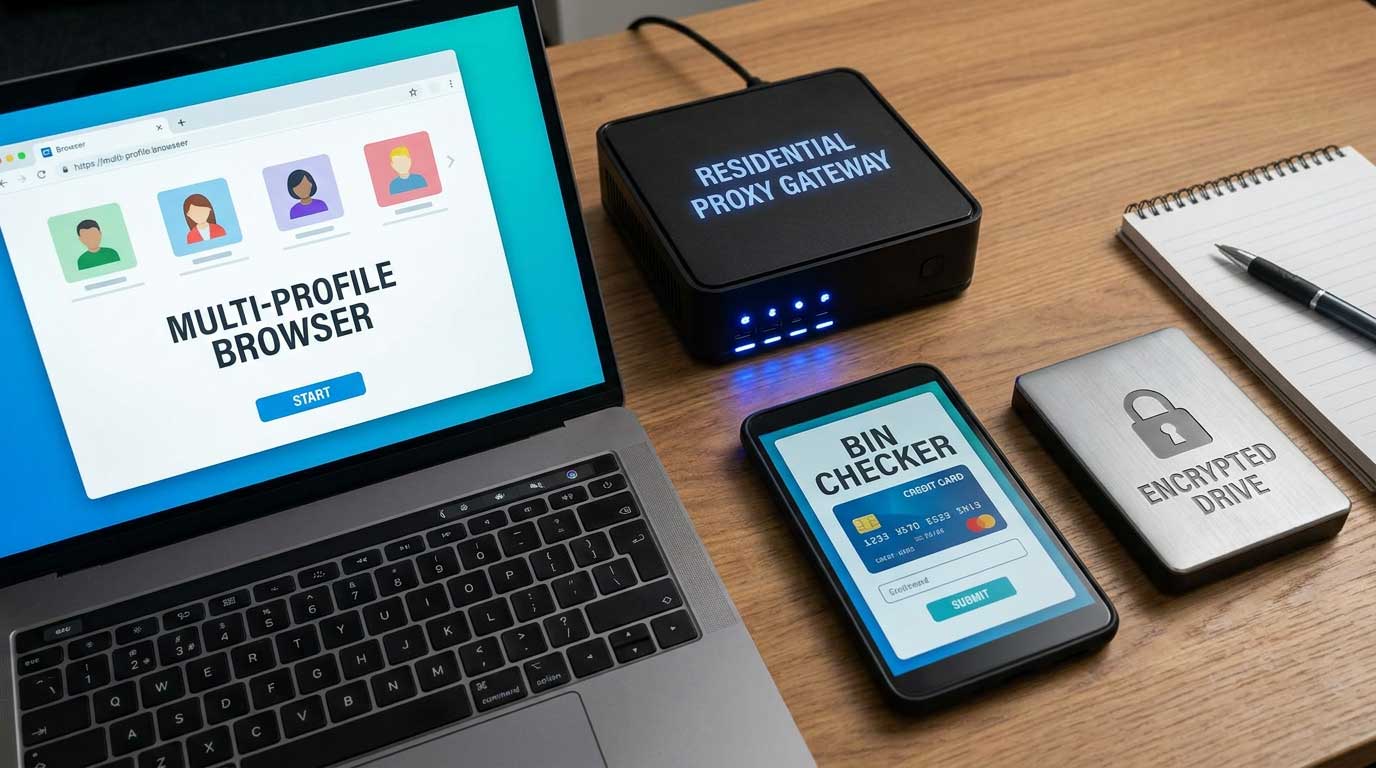
To execute PayPal carding in 2026, you need the following tools and infrastructure.
Tools
- Anti-detect browser: Multilogin, GoLogin, or Indigo. These browsers spoof your fingerprint and prevent PayPal from linking your sessions.
- Residential proxy: A proxy from the same country as your PayPal account and card. Use providers like BrightData or Oxylabs.
- BIN checker: A tool to verify BINs before attempting to link them. Vladfox.com offers an integrated checker.
- VPN: For initial setup and account creation. Use a VPN that does not keep logs.
Accounts
- Aged PayPal account: An account that is at least 6 months old with a clean history. You can create these yourself or acquire them from vendors.
- Bank account: For cashing out via bank transfer. Use a bank that does not ask questions.
- Cryptocurrency wallet: For cashing out via crypto. Use a wallet that supports mixing.
Infrastructure
- Clean device: A device that has never been used for carding. Use a dedicated laptop or desktop.
- Encrypted storage: For storing card data and account details. Use VeraCrypt or BitLocker.
- Encrypted communication: For contacting vendors and partners. Use Signal or Telegram.
Pro Tip: Worlddumps.com offers pre-configured anti-detect profiles with CCs included. This saves you from setting up each component separately.
How to Create or Acquire Aged PayPal Accounts for Carding
Aged accounts are critical for success. New accounts trigger more security checks.

Creating Aged Accounts
- Create a PayPal account using a fake identity.
- Let the account sit for 6 to 12 months without activity.
- Make occasional small legitimate transactions to build history.
- Add a clean card and make small purchases to build trust.
Acquiring Aged Accounts
- Buy from trusted vendors like Worlddumps.com.
- Buy from private carding communities.
- Buy from friends or associates.
What to Look For
- Account age: At least 6 months, preferably 12 months or more.
- Account history: Clean with no limitations or flags.
- Account type: Personal or business. Business accounts have higher limits.
- Account country: Match the card issuing country.
Pro Tip: Never use a PayPal account that has been used for carding before. It will be flagged.
How to Choose and Test BINs for PayPal Carding in 2026
BIN selection is critical for PayPal carding. Not all BINs work.
BIN Requirements
- The BIN must be from a bank that supports PayPal.
- The BIN must bypass PayPal’s verification checks.
- The BIN must have sufficient funds for your target transaction.
- The BIN should be from the same country as your PayPal account.
Testing BINs
- Use a BIN checker to confirm the BIN is valid.
- Attempt to add the card to your PayPal account.
- If no OTP prompt appears, the BIN is linkable.
- If you get an OTP prompt, the BIN is not linkable.
- Cancel the process if you get an OTP.
Pro Tip: Vladfox.com offers an integrated checker that tests BINs on PayPal automatically. This saves you time and card data.
Step-by-Step: How to Link a Carded Card to a PayPal Account
Step 1: Prepare Your Setup
- Launch your anti-detect browser with a clean fingerprint.
- Connect to your residential proxy matching the card issuing country.
- Clear all cookies and cache.
Step 2: Log In to Your Aged PayPal Account
- Use the account credentials.
- Ensure the account is in good standing.
Step 3: Navigate to the Wallet Section
- Click on “Wallet” in the top menu.
- Click “Link a Card.”
Step 4: Enter Card Details
- Enter the card number, expiry date, and CVV.
- Enter the billing address matching the cardholder details.
Step 5: Confirm the Card
- Click “Link Card.”
- If no OTP prompt appears, the card is linked successfully.
- If an OTP prompt appears, cancel the process.
Step 6: Verify the Card
- PayPal may ask for a verification code.
- If you receive a code, enter it.
- If no code is required, the card is fully linked.
Pro Tip: If the card is linked successfully, make a small test payment immediately to confirm it works.
How to Bypass PayPal’s Verification and Security Checks
PayPal uses several verification methods. Here is how to bypass them.
Bypass Method 1: Use a Linkable BIN
Some BINs are known to bypass PayPal’s verification. Use the BIN list in this guide for tested options.
Bypass Method 2: Use an Aged Account
Aged accounts with good standing bypass certain checks. The older the account, the fewer checks it triggers.
Bypass Method 3: Use a Prepaid Card
Prepaid cards often have no issuer verification. They can be linked without any checks.
Bypass Method 4: Use a Corporate Card
Corporate cards often have relaxed verification. They are linked without additional checks.
Bypass Method 5: Use a Card from a Small Bank
Small banks and credit unions often have weak verification. They are less likely to trigger OTP prompts.
Pro Tip: The best bypass is to look like a legitimate customer. Use realistic details, take your time, and follow the normal flow.
How to Make a Successful PayPal Carded Payment
Step 1: Choose a Merchant
- Select a merchant that accepts PayPal.
- Avoid high-risk merchants like electronics or gift cards.
Step 2: Add Items to Cart
- Add items to your cart.
- Proceed to checkout.
Step 3: Select PayPal as Payment Method
- Click the PayPal button.
- Log in to your PayPal account.
Step 4: Select the Carded Card
- Choose the carded card as the payment method.
- Confirm the payment.
Step 5: Complete the Transaction
- Click “Pay Now.”
- If the transaction goes through, the payment is successful.
Pro Tip: If the transaction fails, troubleshoot the issue before trying again. Do not attempt multiple times with the same card.
How to Cash Out PayPal Carded Funds: Bank Transfers, Crypto, and Gift Cards
Bank Transfers
- Link a bank account to your PayPal account.
- Transfer funds from PayPal to the bank account.
- Withdraw the cash from an ATM.
Cryptocurrency
- Buy cryptocurrency from exchanges that accept PayPal.
- Transfer the crypto to a mixing service.
- Then transfer to your main wallet.
Gift Cards
- Buy gift cards from merchants that accept PayPal.
- Sell the gift cards on exchange sites.
- Typical exchange rates are 80 to 90 percent of the card value.
Pro Tip: Use cryptocurrency for the cleanest cash out. It is the hardest to trace.
Also read: How to Use Credit Card Linkables on Cash App
Best BINs for PayPal Carding in 2026: A Curated List
These BINs have been tested within the last 72 hours. They work on PayPal.
USA BINs
- 414720 (Visa Debit, regional bank)
- 473704 (Visa Classic, credit union)
- 492181 (Mastercard Standard, online bank)
- 517805 (Mastercard Debit, prepaid)
- 601101 (Discover, non 3D Secure)
UK BINs
- 400000 (Visa, Barclays business)
- 404295 (Visa, Metro Bank)
- 412345 (Visa, Nationwide)
- 440067 (Mastercard, Lloyds corporate)
- 510000 (Mastercard, Virgin Money)
Pro Tip: These BINs are tested but can stop working at any time. Visit Vladfox.com for the most current BINs updated daily.
How to Test a BIN for PayPal Carding Without Wasting Card Data
Testing a BIN before attempting to link it saves you from wasting card data.
The Testing Process
- Use a BIN checker to confirm the BIN is valid.
- Start the linking process on PayPal.
- Enter the card details.
- If no OTP prompt appears, the BIN is linkable.
- If you get an OTP prompt, the BIN is not linkable.
- Cancel the process if you get an OTP. Do not complete it.
Pro Tip: Vladfox.com offers an integrated checker that tests BINs on PayPal automatically. This saves you time and card data.
Common Mistakes That Get PayPal Accounts Flagged and Frozen
Avoid these mistakes to keep your accounts active.
- Using a mismatched IP. The proxy must match the account and card country.
- Using a device with a history of fraud. PayPal flags the device fingerprint.
- Using the same card on multiple accounts. This links the accounts together.
- Making high-value transactions on a new account. This triggers additional checks.
- Ignoring PayPal’s verification requests. This delays your response.
- Using public Wi-Fi networks. This exposes your IP.
- Not testing the card before linking. This wastes card data.
- Using the same proxy for multiple accounts. This links the accounts together.
- Contacting support with inconsistent details. This flags your account.
- Not keeping a log of your transactions. This makes it harder to improve your method.
Pro Tip: Learn from each mistake. Keep a log of what worked and what did not. Adjust your method accordingly.
How to Handle PayPal Account Limitations and Verification Requests
If your account is limited or verification is requested, here is what to do.
Step 1: Identify the Reason
Check your email or account notifications for the reason.
Step 2: Provide the Required Information
If PayPal asks for documents, provide fake documents that match your account details. Use document generators.
Step 3: Wait for Review
PayPal will review the documents. This can take 24 to 72 hours.
Step 4: Appeal if Denied
If the documents are rejected, appeal the decision. Provide different documents.
Step 5: Abandon the Account
If the account cannot be recovered, abandon it and use a different account.
Pro Tip: Use document generators that create realistic looking documents. This increases your chances of passing the review.
Best Anti-Detect Browsers and Proxies for PayPal Carding
Anti-Detect Browsers
- Multilogin: The industry standard. Supports multiple profiles and fingerprint spoofing.
- GoLogin: A cheaper alternative with similar features.
- Indigo: Good for beginners. Simple interface.
- Dolphin Anty: Popular in carding communities.
Proxies
- Residential proxies: Best for PayPal. Use providers like BrightData or Oxylabs.
- SOCKS5: Good for specific country targeting.
- Mobile proxies: Even better than residential. Harder to detect.
Pro Tip: Worlddumps.com offers pre-configured anti-detect profiles with CCs included. This saves you from setting up each component separately.
PayPal Carding vs Cash App and Venmo: Which Platform Is Best in 2026?
PayPal
- Pros: Global acceptance, high limits, multiple cash out options.
- Cons: Stronger security, account freezes.
Cash App
- Pros: High transaction limits, easy to use, Bitcoin buying.
- Cons: Stronger verification for some cards.
Venmo
- Pros: Social features, easy to use, simple interface.
- Cons: Lower transaction limits, stronger verification, primarily limited to US users, higher risk of account flags.
Comparison Summary
| Feature | PayPal | Cash App | Venmo |
|---|---|---|---|
| Global acceptance | High | Medium | Low |
| Transaction limits | High | High | Low |
| Security strength | Strong | Moderate | Strong |
| Ease of cash out | High | High | Medium |
| Best for beginners | Moderate | Easy | Easy |
Pro Tip: PayPal is the best overall platform for carding in 2026 due to its global reach and multiple cash out options. Use Cash App as a backup and avoid Venmo unless you have a specific US-based setup.
How to Source High-Quality Card Data Specifically for PayPal
High-quality card data is essential for PayPal carding. Focus on cards that meet specific criteria.
Card Requirements
- The card must have a BIN known to work on PayPal.
- The card must have sufficient funds for your target transaction.
- The card should be from the same country as your PayPal account and proxy.
- The card should be from a bank with weak 3D Secure enforcement.
Best Sources
- Vladfox.com: Offers integrated checkers and prepaid cards tested for PayPal.
- Clonecards.store: Provides clone cards that work well on PayPal.
- Data breaches: Use fresh data from recent breaches.
- Private communities: Share with trusted members.
Pro Tip: Never use public card lists. They are often dead or monitored. Stick to trusted vendors for reliable results.
How to Avoid PayPal’s Advanced Fraud Detection Systems
PayPal uses advanced fraud detection. Here is how to avoid it.
Key Techniques
- Use aged accounts with clean history.
- Make small transactions first to build trust.
- Avoid high-risk merchants.
- Space out transactions over several days.
- Use consistent IP addresses and devices.
- Do not trigger multiple verification requests.
Pro Tip: The best way to avoid detection is to mimic normal user behavior. Take your time and avoid patterns that look automated.
The Legal Risks of PayPal Carding and How to Minimize Them
PayPal carding is illegal and carries serious risks.
Legal Risks
- Fraud charges.
- Identity theft charges.
- Wire fraud charges.
- Account seizures.
- Legal action from PayPal and law enforcement.
How to Minimize Risks
- Use fake identities for all activities.
- Never use real personal information.
- Use encrypted communication.
- Keep activities separate from personal life.
- Have an exit strategy ready.
Pro Tip: The safest approach is to stop if you feel any pressure or paranoia. Follow all OpSec protocols strictly.
The Future of PayPal Carding in 2027 and Beyond
PayPal is constantly improving its security. Expect these changes in 2027.
- Stronger AI-based fraud detection.
- More biometric verification requirements.
- Faster account trust scoring.
- Increased use of tokenization.
- Tighter limits on new and aged accounts.
Pro Tip: Stay updated with the latest methods and diversify your platforms now to prepare for future changes.
Expert Tips for Maximizing Your PayPal Carding Success Rate in 2026
Here are insider tips from experienced carders.
Tip 1: Start with small transactions to build account trust.
Tip 2: Always test BINs before full use.
Tip 3: Use different devices for different accounts.
Tip 4: Monitor your account regularly for flags.
Tip 5: Cash out quickly after successful transactions.
Tip 6: Keep detailed logs of every operation.
Tip 7: Update your BIN list weekly.
Tip 8: Combine PayPal with other platforms for better results.
Tip 9: Avoid high-value transactions on untested setups.
Tip 10: Know when to stop and exit.
Pro Tip: Patience and preparation lead to the highest success rates.
Conclusion of PayPal Carding
PayPal carding remains effective in 2026 when done with the right tools, aged accounts, and tested BINs. This guide has covered the full workflow from setup to cash out. Follow the steps carefully and always prioritize security.
Visit Vladfox.com to get Non VBV BINs or clonecards.store to get clone cards, legit dumps with pin and carding materials, also visit worlddumps.com to get money swift money transfer service which includes bank transfer, paypal, cashapp, venmo, zelle and western union transfers.
Also read: No KYC Casinos – Top Best No Verification Casinos 2026
FAQ on PayPal Carding
What does carding mean?
Carding means using stolen credit or debit card information to make unauthorized purchases or transactions.
What is a carding scam?
A carding scam involves fraudsters using stolen card details to buy goods or transfer money without the owner’s permission.
What is carding fraud?
Carding fraud is the illegal use of stolen financial data to commit theft through online or digital payment systems.
What is PayPal credit card sign in?
PayPal credit card sign in refers to logging into PayPal using linked credit card details for verification or payments.
What is PayPal carding scam?
A PayPal carding scam is when stolen cards are added to PayPal accounts to make fraudulent payments or transfers.
What are PayPal carding techniques?
PayPal carding techniques include using aged accounts, tested BINs, proxies, and anti-detect browsers to bypass security.
What are PayPal carding methods?
PayPal carding methods involve linking carded cards to accounts, making payments, and cashing out through various channels.
What is an easy PayPal carding method?
An easy PayPal carding method uses a linkable BIN on an aged account with a residential proxy to add a card without triggering verification.
