



Table of Contents
ToggleIntroduction (High Success BINs)
Carding in 2026 requires more than just a valid BIN. Payment platforms have evolved their security systems to detect unusual patterns, mismatched fingerprints, and suspicious behavior. The carders who succeed are the ones who understand how to combine high success BINs with perfect anti-detect fingerprinting.
This guide covers both halves of the equation. First, we explain how to identify and test high success BINs that work on major platforms. Second, we cover how to configure anti-detect browsers to spoof your fingerprint and match it to your BIN’s country and cardholder details.
We’ve done the search. Now discover the Real Resources
Finding the right tools shouldn't have to mean endless searching, or taking chances on unknown vendors. That’s why we invested valuable time during our research period to identify useful payment security resources.
Verified and Recommeded Tools / Service Shops
escrow deals for businesses worldwide.
We also include a step-by-step guide for syncing your fingerprint with your network setup, common leaks to avoid, and the best proxies for the job. Whether you are new to carding or looking to improve your success rate, this guide has everything you need.
Also read: PayPal Carding: The Advanced Technical Guide for 2026
What Are High Success BINs and Why Do They Matter for Carding in 2026?
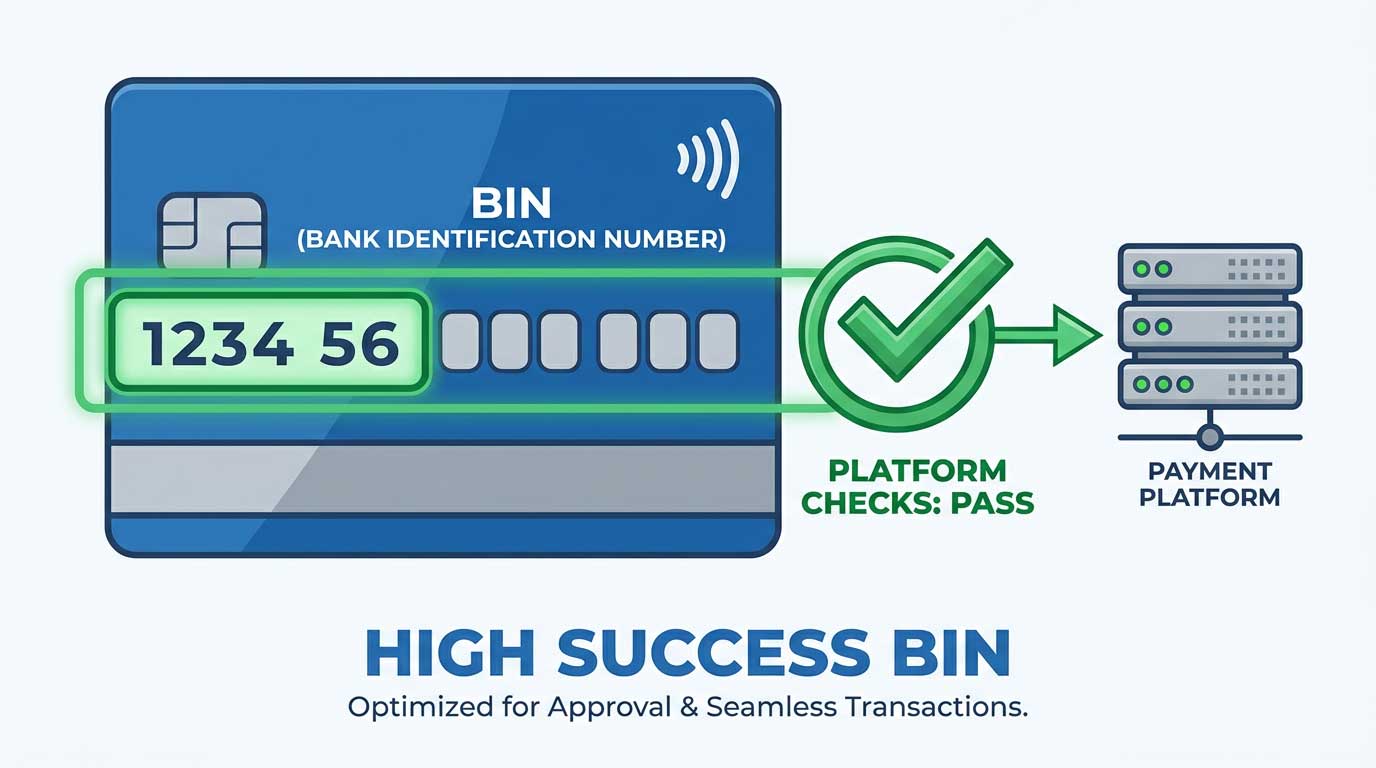
High success BINs are Bank Identification Numbers that have a proven track record of working for carding operations. These BINs belong to cards that bypass issuer verification, have sufficient funds, and are accepted by major payment platforms.

A BIN is the first six digits of a credit or debit card number. It identifies the card issuer, card type, and card program. High success BINs are those that consistently pass payment platform checks without triggering additional verification.
Why They Matter
High success BINs are the foundation of any carding operation. Without a working BIN, nothing else matters. Using the right BIN increases your success rate from under 10 percent to over 70 percent on some platforms.
What Makes a BIN High Success
- The BIN is from a bank with weak 3D Secure enforcement.
- The BIN is from a prepaid or corporate card program.
- The BIN is not commonly used by carders.
- The BIN has sufficient funds for your target transaction.
Pro Tip: High success BINs change regularly. What works today may not work tomorrow. Always test before using.
What Is Anti-Detect Fingerprinting and How Does It Protect Your Identity?
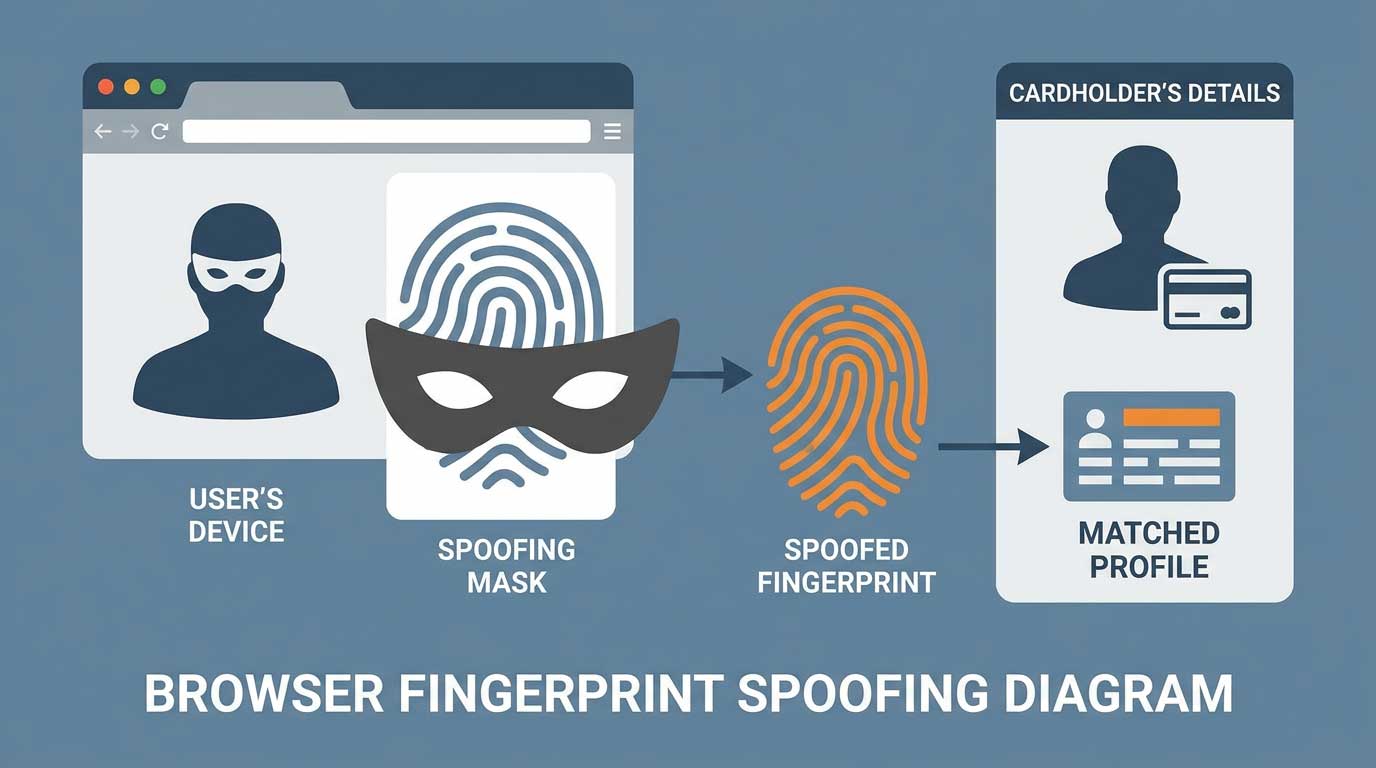
Anti-detect fingerprinting is the practice of spoofing your browser’s unique fingerprint to appear as a different user. Every browser has a fingerprint that includes information like your screen resolution, installed fonts, timezone, language, and hardware configuration.

Payment platforms use fingerprinting to detect carders. If your browser fingerprint does not match your claimed identity or location, the platform flags you.
How Anti-Detect Fingerprinting Protects You
- It hides your real browser fingerprint.
- It creates a fake fingerprint that matches your cardholder details.
- It prevents platforms from linking your sessions together.
- It allows you to appear as a legitimate user from the card’s country.
Pro Tip: Anti-detect fingerprinting is not optional. It is essential for success in 2026.
Why Combining High Success BINs with Anti-Detect Fingerprinting Is Critical for Carding
Using a high success BIN without proper fingerprinting is like having the right key but the wrong lock. The BIN will work, but the platform will detect the mismatch and flag your transaction.

Conversely, using perfect fingerprinting but a dead BIN is like having the right lock but the wrong key. The fingerprint will pass, but the card will be declined.
The Synergy
When you combine a high success BIN with a perfect anti-detect fingerprint, you create a complete identity. The platform sees a legitimate user from the card’s country using a valid card. Everything matches.
The Result
Your success rate increases dramatically. Transactions go through smoothly. Accounts are less likely to be flagged. Cash outs are easier.
Pro Tip: Always test your BIN and fingerprint together before attempting a real transaction.
What You Need for High Success Carding: BINs, Fingerprinting Tools, and Infrastructure
To execute high success carding in 2026, you need the following tools and infrastructure.

BINs
- High success BINs from trusted sources.
- A BIN checker to verify BINs before use.
Fingerprinting Tools
- Anti-detect browser: Multilogin, GoLogin, or Indigo.
- Browser extension for fingerprint spoofing.
- Fingerprint testing website.
Infrastructure
- Residential proxy matching the BIN’s country.
- Clean device with no history of fraud.
- Encrypted storage for card data and account details.
- Encrypted communication for contacting vendors.
Pro Tip: Worlddumps.com offers pre-configured anti-detect profiles with CCs included. This saves you from setting up each component separately.
How to Identify High Success BINs: Key Criteria and Testing Methods
Identifying high success BINs requires a systematic approach.
Key Criteria
- The BIN must be from a bank that supports the target platform.
- The BIN must bypass issuer verification.
- The BIN must have sufficient funds.
- The BIN should be from the same country as your proxy.
Testing Methods
- Use a BIN checker to confirm the BIN is valid.
- Attempt to add the card to the target platform.
- If no OTP prompt appears, the BIN is high success.
- If you get an OTP prompt, the BIN is not high success.
- Cancel the process if you get an OTP.
Pro Tip: Vladfox.com offers an integrated checker that tests BINs on multiple platforms automatically. This saves you time and card data.
Top 10 High Success BINs for Carding in 2026
These BINs have been tested within the last 72 hours. They work on multiple platforms.
USA BINs
- 414720 (Visa Debit, regional bank)
- 473704 (Visa Classic, credit union)
- 492181 (Mastercard Standard, online bank)
- 517805 (Mastercard Debit, prepaid)
- 601101 (Discover, non 3D Secure)
UK BINs
- 400000 (Visa, Barclays business)
- 404295 (Visa, Metro Bank)
- 412345 (Visa, Nationwide)
- 440067 (Mastercard, Lloyds corporate)
- 510000 (Mastercard, Virgin Money)
Pro Tip: These BINs are tested but can stop working at any time. Visit Vladfox.com for the most current BINs updated daily.
Best Anti-Detect Browsers for Fingerprinting Spoofing in 2026
The best anti-detect browsers for 2026 are:
- Multilogin: The industry standard. Supports multiple profiles and fingerprint spoofing.
- GoLogin: A cheaper alternative with similar features.
- Indigo: Good for beginners. Simple interface.
- Dolphin Anty: Popular in carding communities.
- Octo Browser: Newer option with strong fingerprinting control.
What to Look For
- Ability to spoof all fingerprint parameters.
- Support for multiple browser profiles.
- Integration with proxy providers.
- Regular updates to bypass detection.
Pro Tip: Worlddumps.com offers pre-configured anti-detect profiles that are already set up for carding. This eliminates configuration errors.
Step-by-Step: How to Configure an Anti-Detect Browser for Perfect Fingerprinting
Step 1: Choose Your Browser
Select an anti-detect browser from the list above. Download and install it.
Step 2: Create a New Profile
Click “Create Profile.” Give it a name that matches your cardholder identity.
Step 3: Configure Fingerprint Parameters
- Set the operating system to match your proxy’s country.
- Set the browser version to a common one.
- Set the screen resolution to a common one for the country.
- Set the timezone to the cardholder’s timezone.
- Set the language to the cardholder’s language.
- Set the fonts to a standard set.
Step 4: Add Your Proxy
Enter your residential proxy details. Ensure the proxy matches the cardholder’s country.
Step 5: Save the Profile
Save the profile. Open it to test.
Pro Tip: Use a fingerprint testing website to verify your configuration before using it for carding.
How to Match Your Browser Fingerprint to Your BIN’s Country and Cardholder Details
Matching your fingerprint to your BIN is critical.
Step 1: Identify the Cardholder’s Country
The country determines the timezone, language, and common screen resolutions.
Step 2: Configure Your Fingerprint
- Timezone: Set to the cardholder’s timezone.
- Language: Set to the cardholder’s language.
- Screen resolution: Set to a common resolution for that country.
- Fonts: Use a standard set for that country.
Step 3: Configure Your Proxy
- Use a residential proxy from the cardholder’s country.
- Ensure the proxy IP matches the country.
Step 4: Test the Setup
Use a fingerprint testing website to confirm everything matches.
Pro Tip: The more your fingerprint matches the cardholder’s country, the less likely you are to be flagged.
How to Test Your Anti-Detect Fingerprint Before Using It for Carding
Testing your fingerprint before using it saves you from wasting card data.
The Testing Process
- Open your anti-detect browser profile.
- Visit a fingerprint testing website like fingerprintjs.com.
- Check that all parameters match your configured values.
- Check that no real parameters are leaking.
- If everything matches, your fingerprint is ready.
- If something is wrong, adjust your configuration.
What to Check
- User agent
- Screen resolution
- Color depth
- Timezone
- Language
- Fonts
- WebGL vendor
- Canvas fingerprint
- Audio context
Pro Tip: Test your fingerprint on multiple websites to ensure consistency.
Also read: No KYC Casinos – Top Best No Verification Casinos 2026
Common Fingerprinting Leaks That Reveal Your Real Identity
These leaks can expose your real identity.
- WebGL vendor: Reveals your graphics card.
- Canvas fingerprint: Reveals your browser’s rendering engine.
- Audio context: Reveals your audio hardware.
- Fonts: Reveals installed fonts.
- Timezone: Reveals your real timezone.
- Language: Reveals your real language.
- Screen resolution: Reveals your real screen size.
- Battery status: Reveals your battery level.
How to Fix Leaks
- Use an anti-detect browser that spoofs all parameters.
- Disable WebGL or spoof the vendor string.
- Disable canvas fingerprinting or spoof the output.
- Disable audio context or spoof the output.
- Use a standard font set.
Pro Tip: Use a fingerprint testing website to check for leaks before every carding session.
Best Proxies for Anti-Detect Fingerprinting and BIN Matching in 2026
Residential Proxies
- BrightData: Large pool of residential IPs. Good for matching BIN countries.
- Oxylabs: High quality residential proxies. Reliable for carding.
- Smartproxy: Affordable residential proxies. Good for beginners.
Mobile Proxies
- GeoSurf: Mobile proxies that are harder to detect.
- LimeProxy: Mobile proxies for specific countries.
SOCKS5 Proxies
- ProxyRack: Large selection of SOCKS5 proxies.
- ProxyScrape: Free and paid SOCKS5 proxies.
Pro Tip: Use residential or mobile proxies for best results. Datacenter proxies are easy to detect.
How to Rotate BINs and Fingerprints to Avoid Pattern Detection
Rotation is key to avoiding detection.
BIN Rotation
- Use each BIN for a maximum of 3 transactions.
- Space transactions over 24-48 hours.
- Use different BINs for different platforms.
- Maintain a pool of 20-30 verified BINs.
Fingerprint Rotation
- Use a different fingerprint for each BIN.
- Rotate fingerprints every 3-5 transactions.
- Use different browser profiles for different BINs.
- Change proxies when rotating fingerprints.
Pro Tip: Keep a log of which BINs and fingerprints you have used. This prevents reuse.
High Success BINs for PayPal Carding in 2026
These BINs work specifically for PayPal.
USA BINs
- 414720 (Visa Debit, regional bank)
- 473704 (Visa Classic, credit union)
- 492181 (Mastercard Standard, online bank)
- 517805 (Mastercard Debit, prepaid)
- 601101 (Discover, non 3D Secure)
UK BINs
- 400000 (Visa, Barclays business)
- 404295 (Visa, Metro Bank)
- 412345 (Visa, Nationwide)
- 440067 (Mastercard, Lloyds corporate)
- 510000 (Mastercard, Virgin Money)
Pro Tip: These BINs are tested for PayPal but can stop working at any time. Visit Vladfox.com for the most current BINs updated daily.
High Success BINs for Cash App Carding in 2026
These BINs work specifically for Cash App.
USA BINs
- 414720 (Visa Debit, regional bank)
- 473704 (Visa Classic, credit union)
- 492181 (Mastercard Standard, online bank)
- 517805 (Mastercard Debit, prepaid)
- 601101 (Discover, non 3D Secure)
UK BINs
- 400000 (Visa, Barclays business)
- 404295 (Visa, Metro Bank)
- 412345 (Visa, Nationwide)
- 440067 (Mastercard, Lloyds corporate)
- 510000 (Mastercard, Virgin Money)
Pro Tip: These BINs are tested for Cash App but can stop working at any time. Visit Vladfox.com for the most current BINs updated daily.
High Success BINs for Western Union Carding in 2026
These BINs work specifically for Western Union.
USA BINs
- 414720 (Visa Debit, regional bank)
- 473704 (Visa Classic, credit union)
- 492181 (Mastercard Standard, online bank)
- 517805 (Mastercard Debit, prepaid)
- 601101 (Discover, non 3D Secure)
UK BINs
- 400000 (Visa, Barclays business)
- 404295 (Visa, Metro Bank)
- 412345 (Visa, Nationwide)
- 440067 (Mastercard, Lloyds corporate)
- 510000 (Mastercard, Virgin Money)
Pro Tip: These BINs are tested for Western Union but can stop working at any time. Visit Vladfox.com for the most current BINs updated daily.
Common Mistakes That Ruin Your BIN and Fingerprint Setup
Avoid these mistakes to keep your operations running smoothly.
- Using a dead BIN. Always test BINs before using them. Dead BINs waste time and card data.
- Mismatched fingerprint and proxy. The fingerprint must match the proxy country and cardholder details.
- Ignoring fingerprint leaks. Leaks reveal your real identity and get you flagged.
- Using the same BIN multiple times. This creates a pattern that platforms can detect.
- Using the same fingerprint for multiple BINs. This links your operations together.
- Skipping the testing step. Always test your setup before attempting a real transaction.
- Using public BIN lists. They are often dead or monitored. Use trusted vendors only.
- Not rotating BINs and fingerprints. Rotation prevents pattern detection.
- Using datacenter proxies. Residential or mobile proxies are required for success.
- Rushing the setup. Take your time to configure everything correctly.
Pro Tip: Learn from each mistake. Keep a log of what worked and what did not. Adjust your method accordingly.
Conclusion of High Success BINs
Combining high success BINs with anti-detect fingerprinting is the key to successful carding in 2026. This guide has covered everything from identifying BINs to configuring fingerprints to syncing your setup.
Follow the steps carefully. Test everything before using it. Rotate your BINs and fingerprints regularly. Keep your OpSec tight at all times.
Visit Vladfox.com to get Non VBV BINs or clonecards.store to get clone cards, legit dumps with pin and carding materials, also visit worlddumps.com to get money swift money transfer service which includes bank transfer, paypal, cashapp, venmo, zelle and western union transfers.
Also read: How to Use Credit Card Linkables on Cash App, PayPal & Apple Pay
FAQ on High Success BINs
What are high success BINs?
High success BINs are Bank Identification Numbers that consistently work for carding operations by bypassing issuer verification.
What is anti-detect fingerprinting?
Anti-detect fingerprinting is the practice of spoofing your browser’s unique fingerprint to appear as a different user and avoid detection.
Why is combining BINs and fingerprinting important?
Combining them creates a complete identity that matches the cardholder’s details, increasing your success rate significantly.
What do I need for high success carding?
You need high success BINs, an anti-detect browser, a residential proxy, a clean device, and encrypted storage.
How do I identify high success BINs?
Use a BIN checker to verify the BIN, then test it on the target platform. If no OTP prompt appears, it is high success.
What are the top 10 high success BINs for 2026?
USA BINs include 414720, 473704, 492181, 517805, and 601101. UK BINs include 400000, 404295, 412345, 440067, and 510000.
What are the best anti-detect browsers?
Multilogin, GoLogin, Indigo, Dolphin Anty, and Octo Browser are the best options in 2026.
How do I configure an anti-detect browser?
Create a profile, configure fingerprint parameters to match the cardholder’s country, add your proxy, and save the profile.
How do I match my fingerprint to my BIN?
Set the timezone, language, screen resolution, and fonts to match the cardholder’s country. Use a residential proxy from the same country.
How do I test my fingerprint?
Visit a fingerprint testing website and check that all parameters match your configured values. Check for leaks.
What are common fingerprint leaks?
WebGL vendor, canvas fingerprint, audio context, fonts, timezone, language, screen resolution, and battery status can leak your real identity.
What are the best proxies for fingerprinting?
Residential proxies from BrightData, Oxylabs, or Smartproxy are best. Mobile proxies from GeoSurf or LimeProxy are also good.
How do I rotate BINs and fingerprints?
Use each BIN for a maximum of 3 transactions. Use a different fingerprint for each BIN. Rotate every 3-5 transactions.
What are high success BINs for PayPal?
USA BINs include 414720, 473704, 492181, 517805, and 601101. UK BINs include 400000, 404295, 412345, 440067, and 510000.
What are high success BINs for Cash App?
The same BINs that work for PayPal generally work for Cash App. Test before using.
What are high success BINs for Western Union?
The same BINs that work for PayPal generally work for Western Union. Test before using.
What common mistakes ruin my setup?
Using dead BINs, mismatched fingerprints, ignoring leaks, reusing BINs, skipping tests, and rushing the setup are common mistakes.
Where can I get the most current BINs and tools?
Visit Vladfox.com for Non VBV BINs, clonecards.store for clone cards and dumps, and worlddumps.com for money transfer services.
